
Table of Contents
Odin3 frp remove Android device and have somehow found yourself unable to access your phone because it is locked after too many pattern attempts or if you had a Google lock, then knowing how to bypass the FRP might come in handy.
This security feature is a lifesaver, for sure, but it can be a PITA when you find yourself locked out of your smartphone after a reset. Solution: Odin3 FRP Remove A. s of now, this is a pretty strong application that will allow you to bypass any Samsung device with ease. Maybe you have left your Google credentials behind, or maybe the phone you bought still belonged to someone else (trapped on that side). This guide will explain everything about using Odin3 for FRP removal in 2026.
With easy-to-follow steps and advice at your disposal, you’ll find the very best ways to get around the FRP feature of Samsung’s devices that work in conjunction with Odin3 FRP Remove. Wave farewell to frustration and say hello to freedom as we reveal the secret of how this crucial piece of kit can repair access back to your favourite handset or tablet!
What is Odin3 FRP Remove?
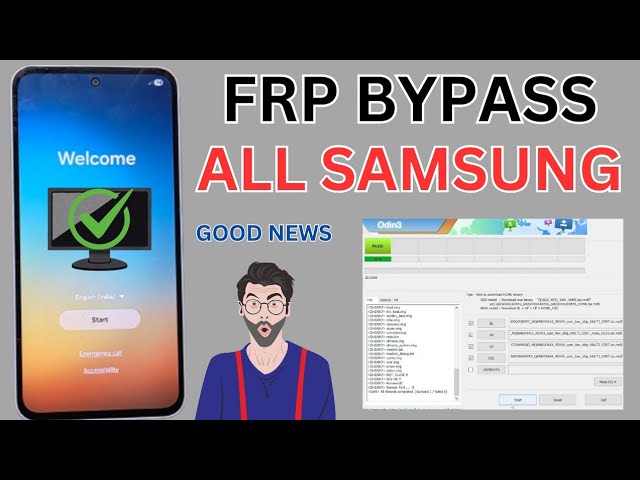
Odin3 FRP Bypass Tool Odin3 FRP Remove Tool is a small application for windows computer which allows you to remove or bypass the Samsung Factory Reset Protection. The latter serves as a way to lock down your device should someone steal it from you after you perform a factory reset.
You usually need to verify the Google account associated with your phone if you do a factory reset. But in case you forgot such credentials or own a second-hand device, and can’t access the above method, here is what you can do: Odin3 is likely your best bet at the moment!
It works with a plain interface where you can add the firmware to flash on your device. Not only does this process remove the FRP lock, but it also allows advanced tech-savvy users to access additional tweaks to further customize their own experience. Created for use with Samsung devices, Odin3 is a powerful solution that has seen its own share of spam and adaptations. It’s super easy to use the low-tech even for a tech newbie.
Why do you need toodin3 frp remove?
It’s a common issue for all users, but also a simple one to resolve. The feature is meant to keep unauthorized people from gaining access, but it can also deny owners themselves. If you forgot your Google account information or bought a used device, Odin3 FRP Remove is indispensable. It offers a quick solution to dispatch these anti-theft features, and then you can successfully get the device back and remove unintended restrictions on your phone.
In addition, using Odin3 is a lot easier than the other method. No more confusing software or complicated workarounds: this streamlines everything for you. When you use Odin3 to unlock FRP, time and stress are the least of your worries. Reaccessing your device can feel like unlocking a treasure chest of personal memories and important information.
Step-by-Step Guide to Using Odin3 FRP Remove
For the best experience of Odin3 FRP Remove, you should have the latest version of Odin3 Tool on your computer. Check that you have a USB cable compatible with your Samsung Galaxy model. NEXT: Turn on Developer Options on your phone. After you’ve installed the USB drivers for your computer, plug in your device to complete the connection. Run Odin3 with full Administrator permissions.
In Odin3, click on “AP” / “PDA” (whichever version you are using) and select the FRP file you have already downloaded. Ensure only “Auto Reboot” and “F. Reset Time” are selected in the options page. Click Start and let the process finish. Once you are done with the process, your device will reboot automatically — That’s it.FRP has removed from your Samsung smartphone.
Top 5 Working Methods for Unlocking odin3 frp remove
Odin3 FRP Unlocker is a breeze to use if you follow the steps as prescribed. Here are five approaches that can help. The first is to resort to ADB (Android Debug Bridge). Hook up your device to a computer or use the command prompt to bypass the lock screen through this method. Another method is to reset your phone in recovery mode. This also deletes everything but frequently lets you start over without the FRP lock.
You can also try using an OTG cable. And you can plug in a USB that is preloaded with apps that are made for FRP removal, or another way to unlock. Look also at 3rd-party software packages. There are several programs that are dedicated to bypassing the removal of locks, such as FRP, effectively and safely. There are professional services that specialize in safely unlocking your device, so if DIY options seem too daunting or risky, you may want to consider this.
Troubleshooting Tips for odin3 frp remove
You may hit a couple of hiccups along the way with Odin3 FRP removal. The device doesn’t boot into Download Mode is one such scenario. Make sure you are pressing the correct button combination for your model. As is customary, it’s Volume Down + Home + Power.
odin3 frp remove isn’t recognized by Odin3, make sure that you’ve flashed the appropriate USB drivers. An outdated or incorrect driver may cause connection problems. There are times when a stuck screen is encountered by the users while performing these steps. When this does happen, be patient; patience can make all the difference. But if it gets stuck for an abnormal period of time, you will have to shut down your iPhone as well asyour computer.
Make sure to have the latest Odin3 version since older versions may not support what you need or contain specific compatibility fixes. Download from reputable sources as you like, and don’t be cursed with malware in any way. If all the above reasons have failed and you need some additional support when dealing with Odin3 FRP removal, there are forums where experienced users help others by sharing tips and tricks for this kind of situation.
Conclusion odin3 frp remove
odin3 frp remove Others undoubtedly confirm, Odin3 to be the excellent utility software for those who want to bypass FRP lock on their devices. It is friendly to users and accessible enough accessible for your average non-tech-savvy user. These guides above or mentioned should help you get back into your device with no problem.
Just to remind you that these practices are potent instruments in opening your phone, but responsible usage is also important. Make sure, however, that you’re following the law about device ownership and usage. If you have any trouble doing so, check out our troubleshooting guide for help.
When done with the proper precautions and approach, odin3 frp remove can be an effective solution to control the security feature of your device while maintaining possession over your personal information. Add this poetic approach to your future mobile management tools!